Support
Support from Setup to Everyday Production
Get ready for your Vector VR2 with clear installation requirements and agreed operator training. Once the machine is in use, V-CUT puts machine details, fault information and service logs within reach to help with troubleshooting and support.
We’ll agree remote support and file-transfer arrangements with you to suit your network and IT policies.
Support at Every Stage
-
Understanding Your Requirements
Before preparing your quotation, we review your production needs, machine specification and site requirements, including power, extraction, network connections and operator training.
-
Delivery and Installation
We agree what needs to be ready at your premises before delivery, so installation and commissioning can proceed as planned.
-
Operator Training
Your operators learn how to set up jobs, run the machine and follow the correct restart procedures, with training specific to your machine’s configuration.
-
Ongoing Technical Support
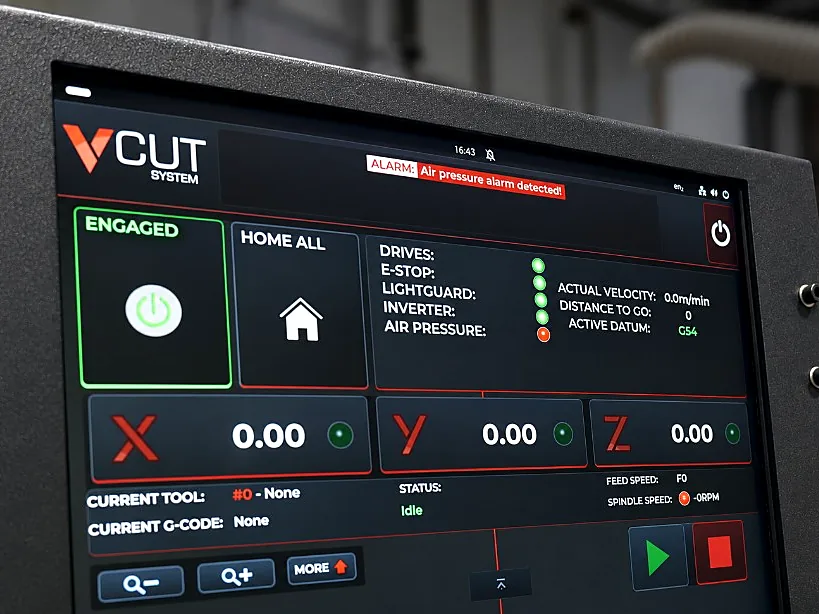
When you need help, machine details, fault messages and operating logs give the support team a clearer picture of the issue and help them identify the next steps.
Inside V-CUT
Clear Information for Technical Support
- Machine details and serial number available on screen
- On-screen fault messages to help identify issues
- Time-stamped records of machine activity and faults
- Back up and restore machine settings through authorised controls
- Records of running hours, spindle use, axis travel and selected service events
- Remote support through an agreed connection, subject to your site’s network setup